To make your workspace feel like home, IT Admins can customize the visual branding of their console. We highly encourage every organization to upload their official logo, as this ensures a clean, professional, and branded experience for all your users on the frontend mobile and web apps!
How to Update Your Logo:
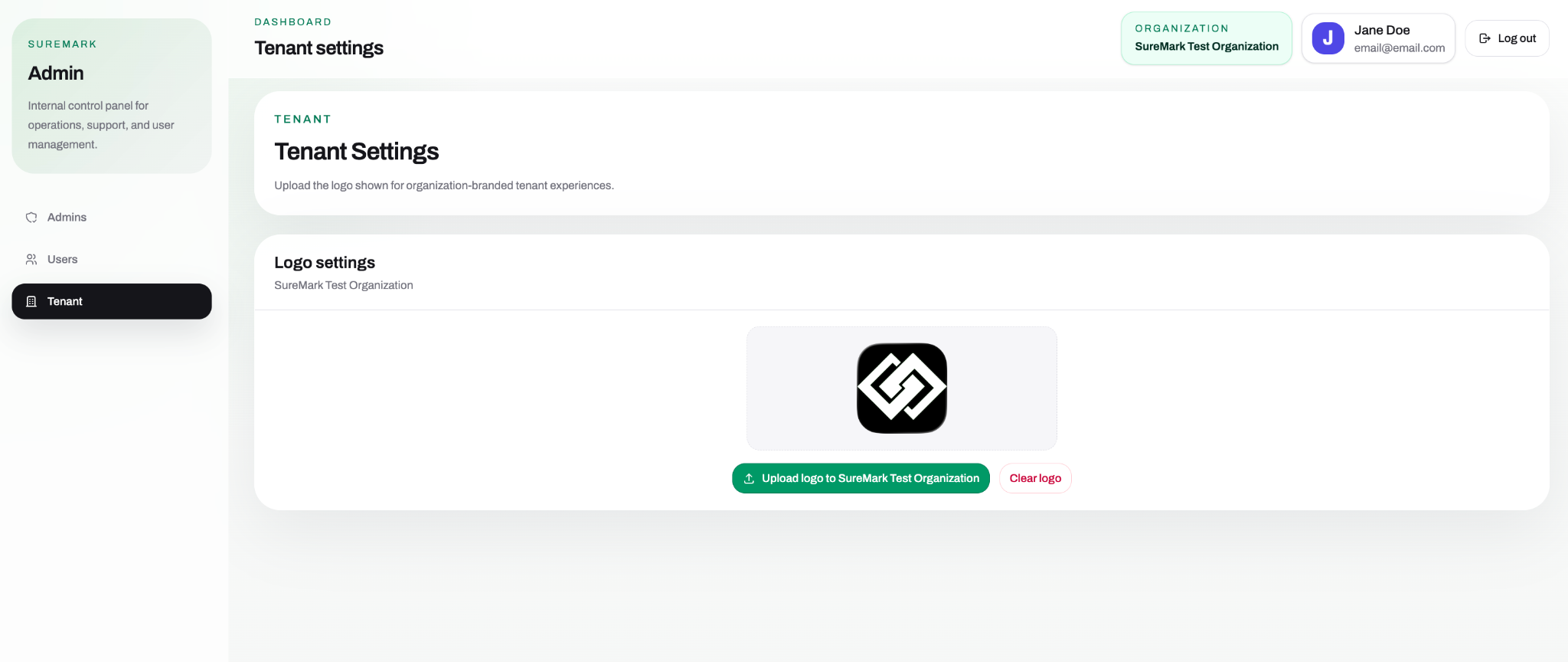
- Navigate to the Tenant tab from the left-handed control panel menu.
- Under Logo settings, you will see your current organization name and branding status.
- Click the green ↑ Upload logo to [Your Organization Name] button to select and image file from your computer.
- Need a fresh start? If you ever need to remove or replace it, simply click the Clear logo button.
Was this article helpful?
That’s Great!
Thank you for your feedback
Sorry! We couldn't be helpful
Thank you for your feedback
Feedback sent
We appreciate your effort and will try to fix the article