Once the extension is installed, we recommend trying it out by it by verifying a piece of content
Visit the SureMark Directory
Review recently signed Content
Select any post, then click the SureMark extension icon to view the comments made using the SureMark extension
For an example of signed content, please check out this a SureMark signed YouTube video from Dino Cataldo Dell’Accio's talk at the 2024 GBBC event.
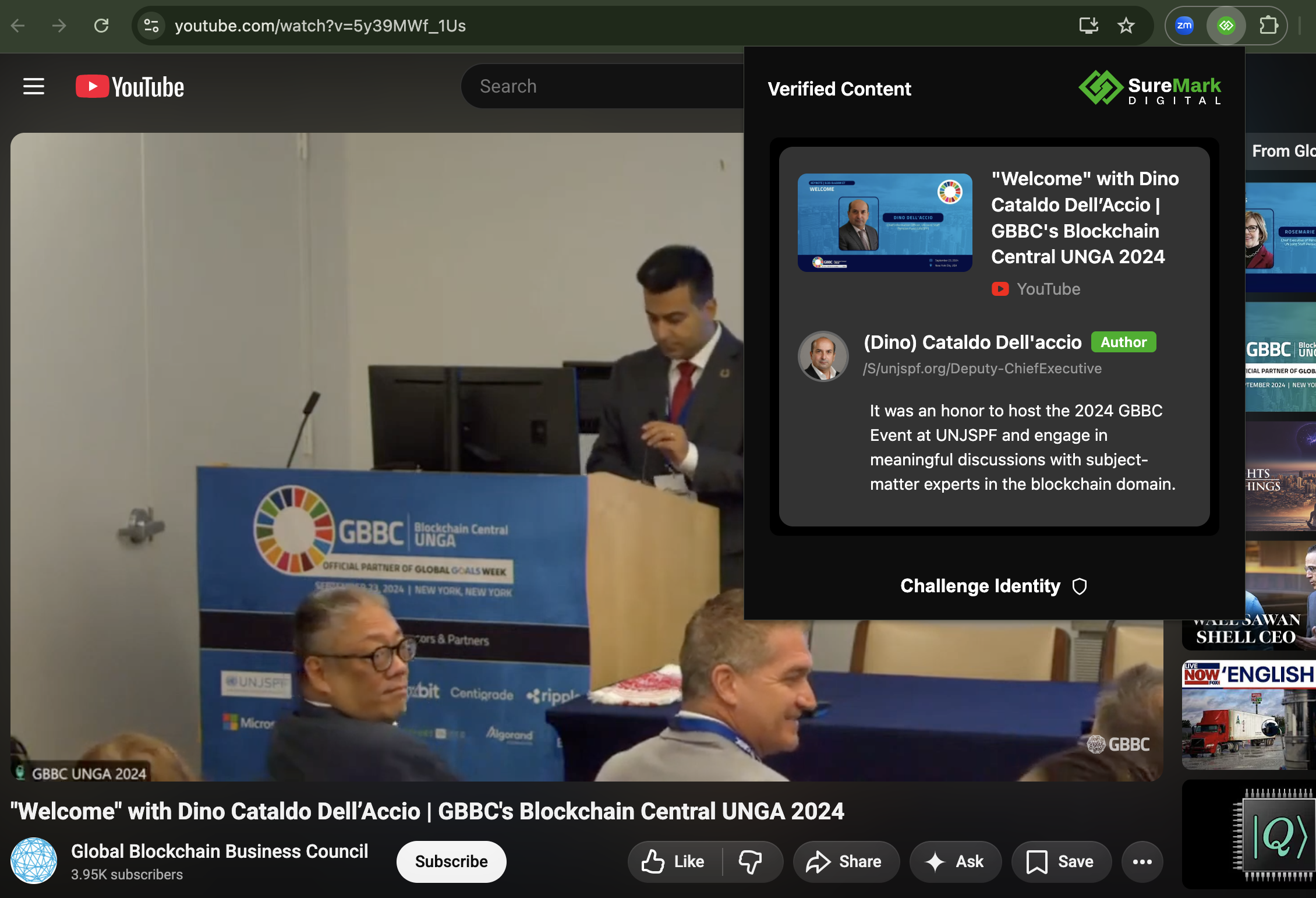
When you click on the SureMark Extension Icon
You notice that the SureMark Extension icon has turned green to indicate a securely signed piece of content
Additionally you can see detailed information about the signer of the content. In this example you see:
(Dino) Cataldo Dell'accio
/S/000012
Authorized ✅
Also you can see that Mr. Dell'accio left a comment about the media "It was an honor to host the 2024 GBBC Event at UNJSPF and engage in meaningful discussions with subject-matter experts in the blockchain domain."
Was this article helpful?
That’s Great!
Thank you for your feedback
Sorry! We couldn't be helpful
Thank you for your feedback
Feedback sent
We appreciate your effort and will try to fix the article