Installation:
To see content that has been verified by SureMark users, first you need to install our SureMark IOS App or SureMark Chrome Browser Extension
- Visit the Install the SureMark Apps to install the SureMark IOS App and Chrome Browser Extension
Usage:
Once the extension is installed, we recommend trying it out by verifying a piece of content
- Visit the SureMark Directory
- Review recently signed Content
- Select any post, then click the SureMark extension icon to view the comments made using the SureMark extension
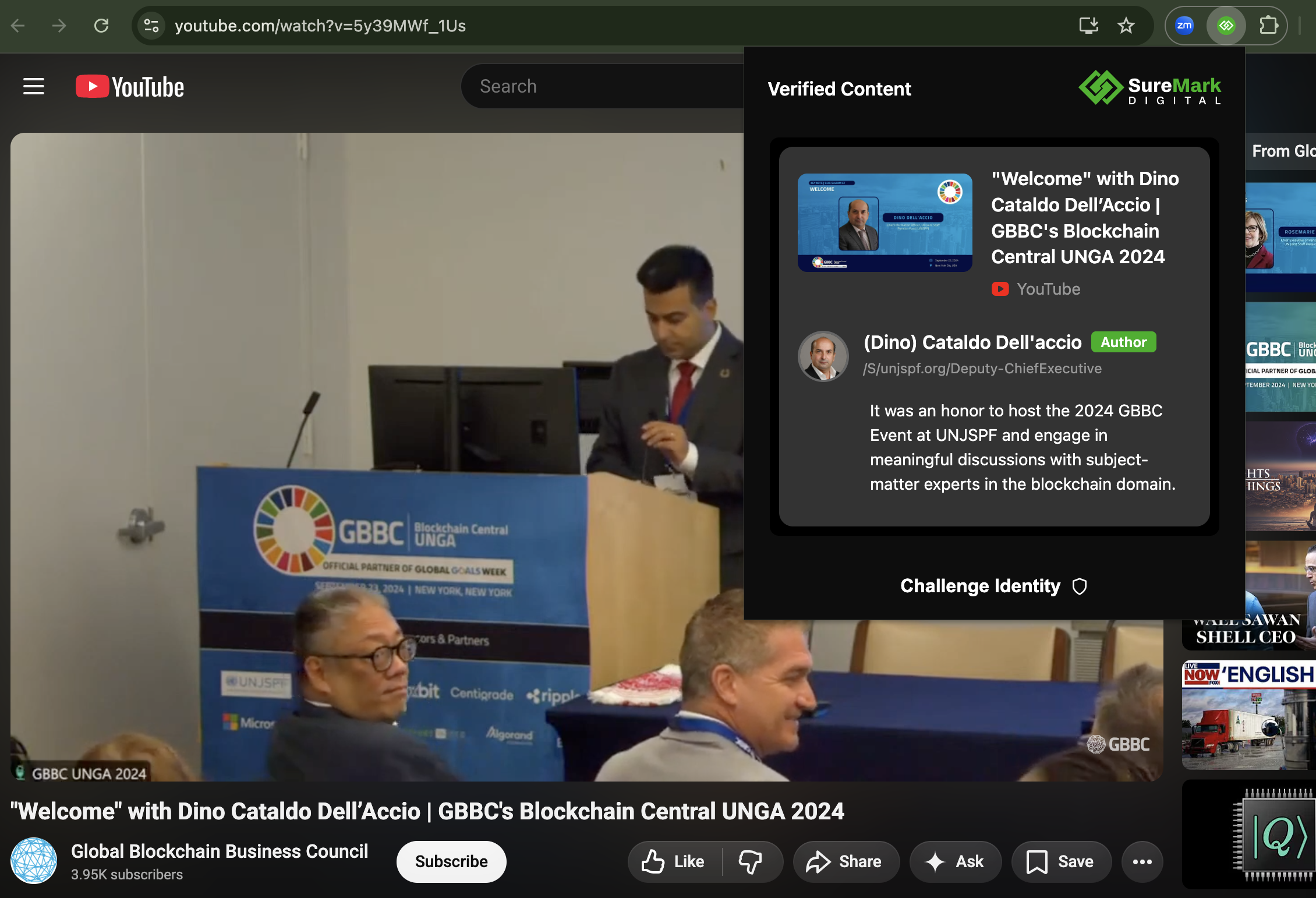
You notice that the SureMark Extension icon has turned green to indicate a securely signed piece of content
- Additionally, you can see detailed information about the signer of the content and any comments they have left. In this example you see:
- (Dino) Cataldo Dell'accio
- /S/000012
- Authorized ✅
- Dino's comment
Was this article helpful?
That’s Great!
Thank you for your feedback
Sorry! We couldn't be helpful
Thank you for your feedback
Feedback sent
We appreciate your effort and will try to fix the article